












In this article we’re just gonna learn Linux Commands | which | info | man | cd | mkdir. But before we get into a few more commands I like you tell about the fact that everything we do in linux. Every command is actually a program.
if you want to see last commands that we learned you can go to our previous article
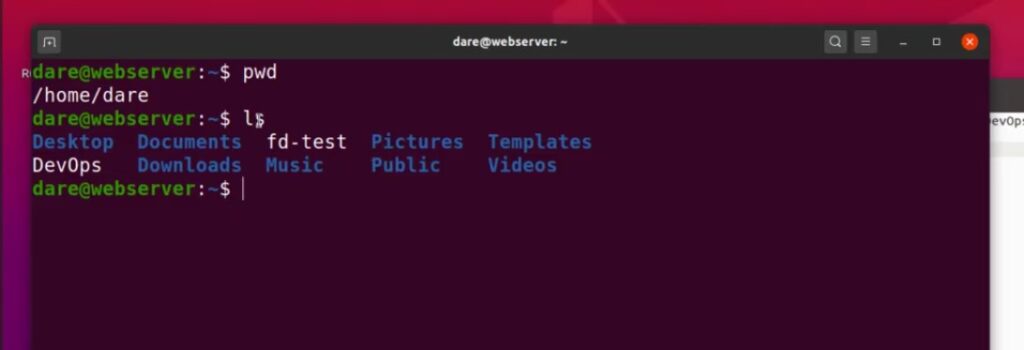
So PWD for example which means present working directory is a program if you think about it if i type “pwd” enter.It shows me that i am currently in “/home/dare” folder it’s doing a specific task it’s doing something that i wanted to do.
So that means there has to be some logic that has been written in this command to know. That that’s exactly what i wanted to do. Or if i did “LS” how come “LS” command knows that it needs to show me folders and files in my current working directory.
Why couldn’t the “LS” have done what the pwd “did? you can see the differences there. So what that means is this command is actually a program written for this specific purpose.
Linux Commands | which | info | man | cd | mkdir
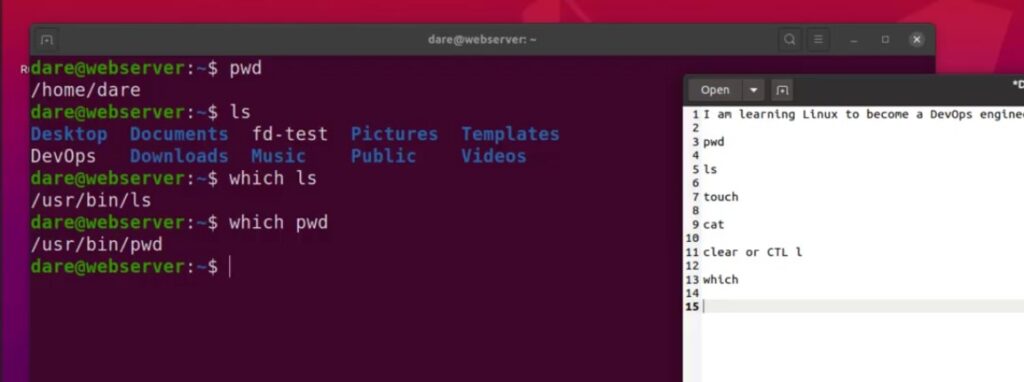
How do we know where this command is on the file system. Well there’s another command “which” you can use which I’m just going to type it here. So we keep a record of all the commands we’ve been learning. So if i type “which ls” it basically shows me where on the file system ls command is stored.
We’re going to go into the details of what this “usr/bin”. And all that the whole file system structure but the focus now is to know the different commands. What they do and how we can make use of them.
If I want to know where the “pwd” command is. I can also do “which pwd” and it tells me it’s also in “usr.bin”. So we’ve just learned about the “Which” command.
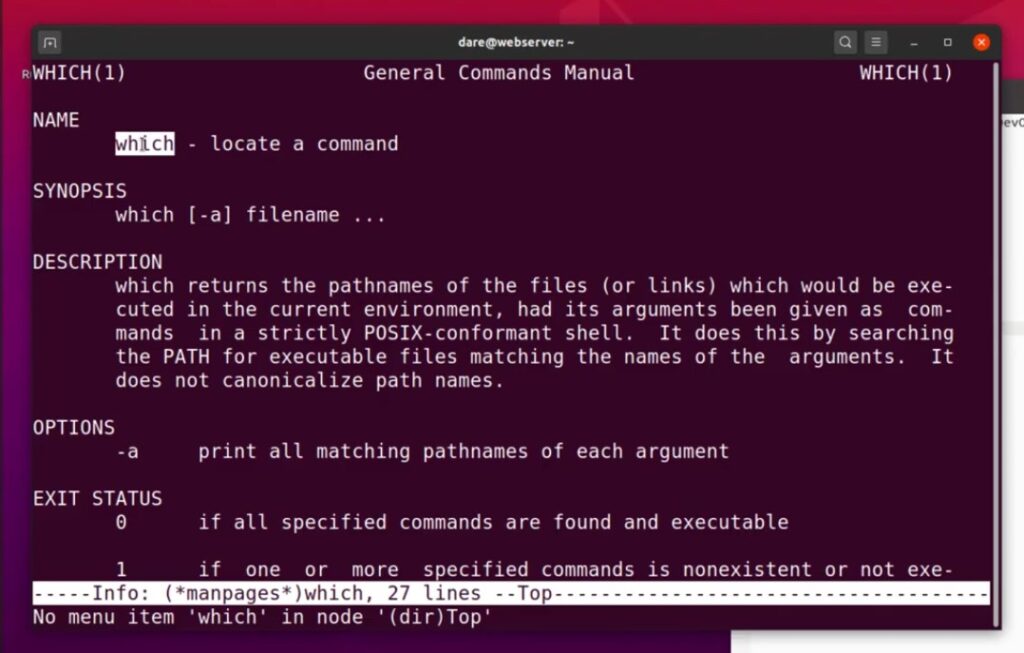
Now another thing you would want to know is how to get more information about a specific command. That you’re using say for example i want to know what “which” command does.
How to use Info Command on Linux
Well it turns out that on Linux there’s a command that you can run well a couple of them the first one “info”. If you type “info which”it will come up with a bunch of text that basically describes what that command does.
As you can see here it says “which” locate a command which is what we’ve just done to locate where that command is?.
How to use the Man Command on Linux
There’s another one called “man” man meaning manual. If you want to read the manual for something “man which” does the same thing well maybe not the same thing but similar thing. Because in some commands you wouldn’t see exact same documentation like this. But in the case of “which” we’ve sent the same documentation that info gave us.
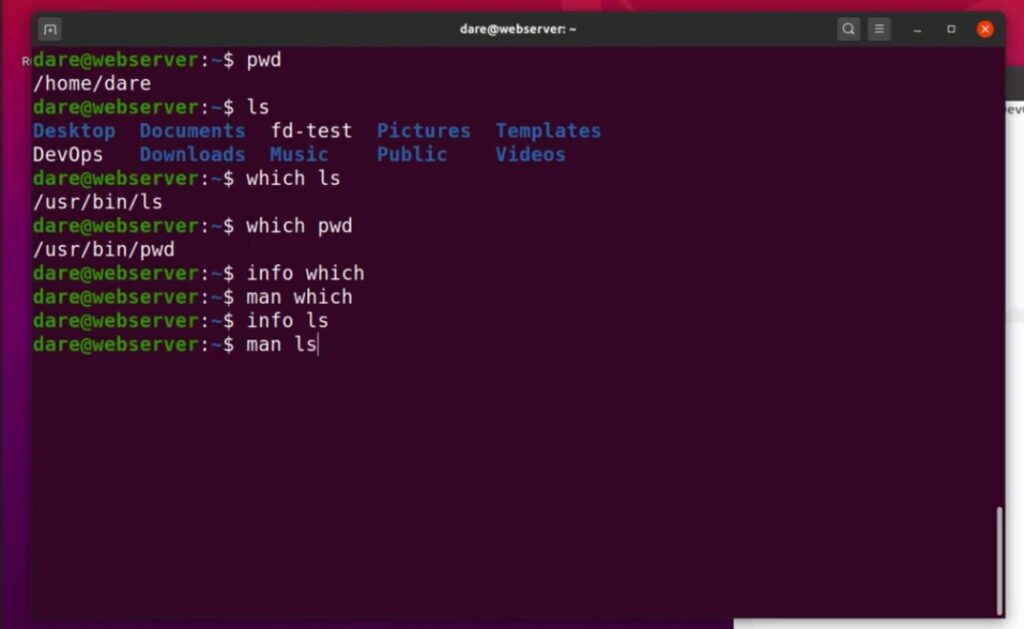
Let’s try that on ls “info ls” this is also giving us a couple of information about “ls”. It says the “ls” program lists information about files of any type including directories. It just gives us more information about them.
And to get out of the command all I’ve been pressing is the letter “q” on the command on the keyboard so if you press q it basically gets you out “info” and “man” command.

Let’s go into “man ls” and you can see the way it’s written out is slightly different. So name is “list directory contents”. And description is “information about the FILEs (the current directory by default) blah blah blah.
You know there’s a lot more details in this, if you keep pressing “down” there’s so many more information about it. So by typing “q” it takes me out of that.
How to use mkdir command on Linux
Next thing i want to show us is the “cd” command so let’s let’s take a note of that “cd” and what that means is “change directory”.
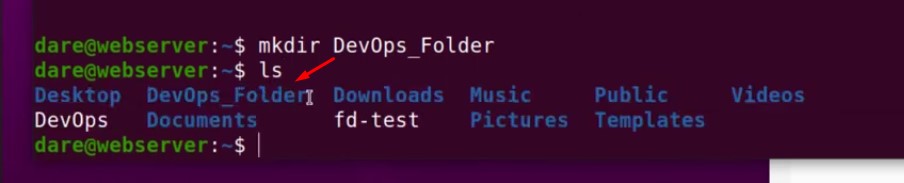
But before we do that let’s create a directory so that’s going to lead us to another command which is “mkdir”. let’s make a directory and navigate.
“mkdir DevOps_folder”
This command will make a directory. To see whether it has created this folder or not use “LS” command. DevOps_folder is right there as you can see in picture above.

Now try to create another folder inside the DevOps_folder. How do we do that type:
mkdir DevOps_folder/inside_folderlet’s go on the GUI as you can see we have the DevOps_folder and have another folder in there. Which is inside_folder you can see inside folder that’s what we’ve done.
In inside folder there’s nothing there let’s try to create something else inside inside folder. Now what i’m gonna do is i would use this command
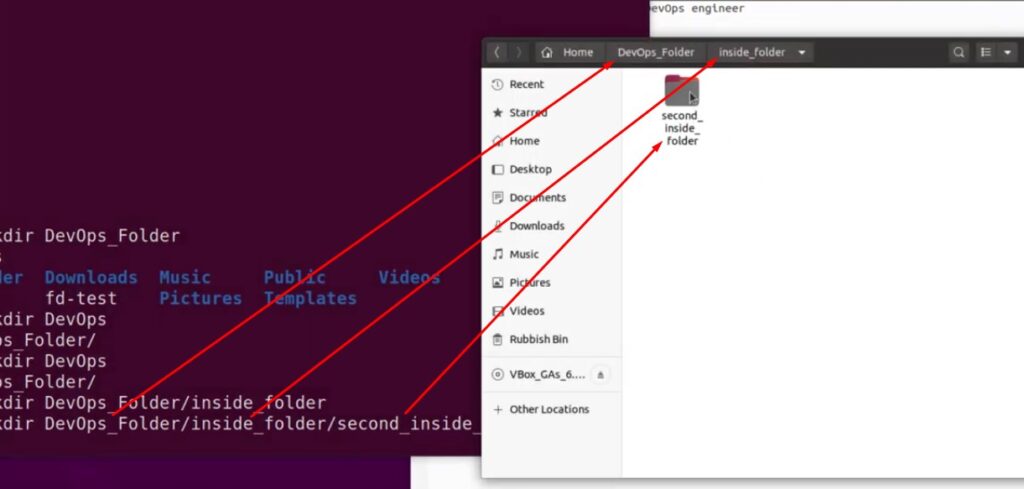
mkdir DevOps_folder/inside_folder/second_inside_folderYou can see that it has now created another folder inside the first folder so we’re basically going from one photo to another.
How to use cd command on Linux
Okay now let’s go inside “DevOps_folder” on the terminal use this command:

cd DevOps_folderIf we do “pwd” you can see we are now in “DevOps_folder”. To see what items are inside this folder use “ls” command.
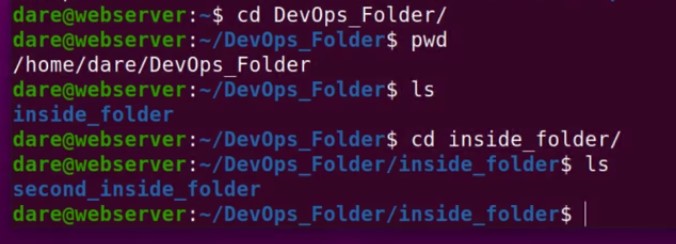
If we want to go inside the “inside_folder” we will do “cd inside_folder” again. And if i type in “ls” to see what is inside the “inside_folder” we will see the “second_inside_folder”.
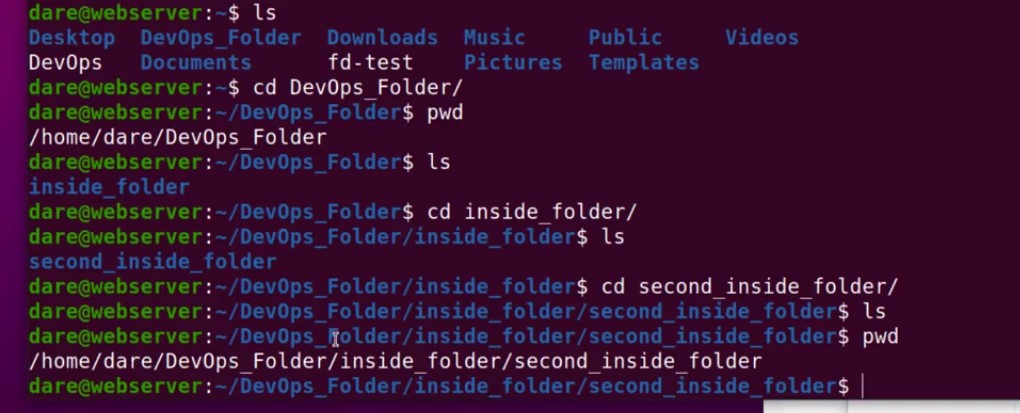
Now you se cd command for second_inside_folder to open it on Linux terminal. And do “LS” do we have anything no empty.
As you can see pwd will show us how we have navigated from home of dare to DevOps_folder to inside_folder to second_inside_folder.
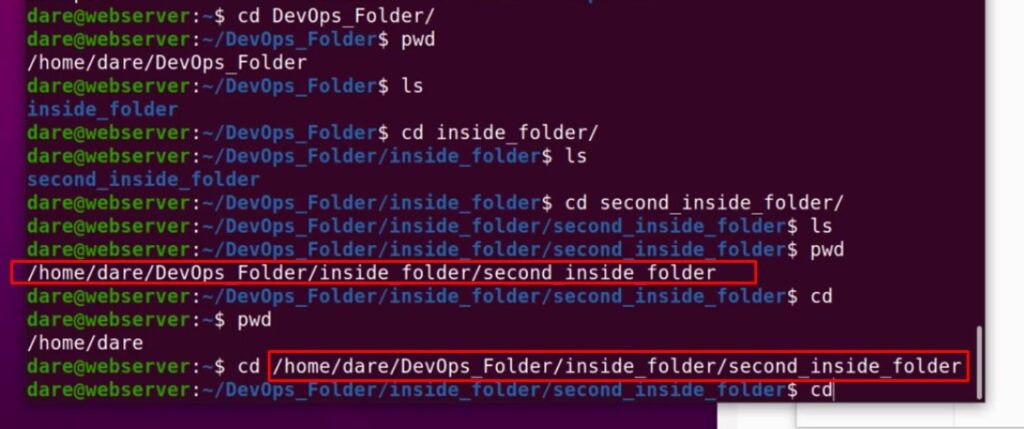
If we wanted to go back to home all we have to do is “cd” and “enter”. It just takes us all the way back to home. If we do pwd you can see we are now back into home directory.
today we learned Linux Commands | which | info | man | cd | mkdir.
In the next couple of articles we would see a few more tricks on how to work around the Linux file system i hope this has been very informative for you.