














Hi guys, In this article we are going to see how to install a plugin in WordPress. So what are WordPress plugins? WordPress plugins are used to add new features to your WordPress website. For example, let’s say you want to play a video on your phone But you are not able to play it. you can just go the app store and then install your video player app which will play your video file.
So the same way If you want to add a new feature to your website, which is not available in WordPress by default, You can install a plugin to add that feature to your site.
So, Lets get started Now to install a plugin in WordPress, There are 2 methods The first method is to install the plugin using the search from the WordPress dashboard.
Install the plugin using search
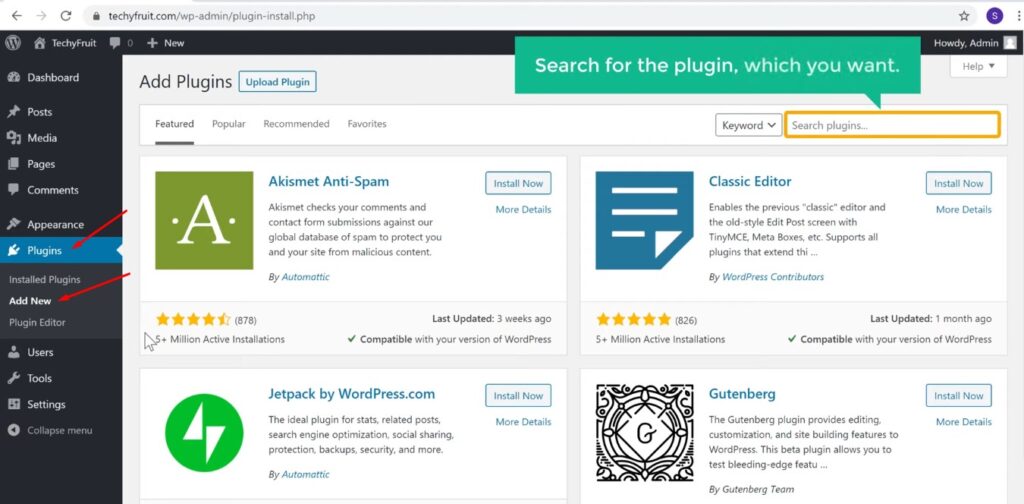
So to install the plugin using “Search” Lets go to our WordPress Dashboard, and then go to “Plugins” And click “Add new”.
Now here, search for the plugin which you want Lets say you want to add Contact Form to your site. So just search for Contact Form And you will get different ‘Contact Form’ plugins which you can add to your site.

Now let’s say you want to install this plugin, So just click “Install Now” And now the plugin will be install on your site. But right now it is not active yet. Now in order to activate the plugin, you need to click ‘Activate’ And now the plugin will be enable on your site.

So as you can see, We have now installed this plugin on our site. So this is how you can install a plugin in WordPress.
Few common places where you can access or control its settings
Once you install the plugin, how do you use that plugin?
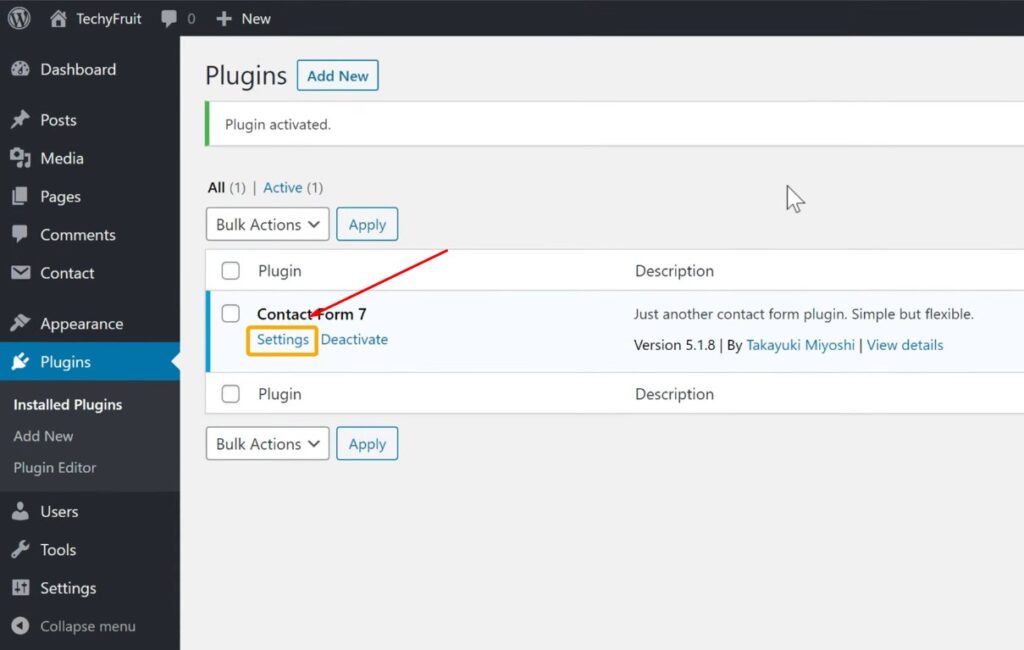
So once you install a plugin there are a few common places where you can access or control its settings. The first place is from this page. Here you can see that we have a ‘Settings’ option, under the plugin’s name.
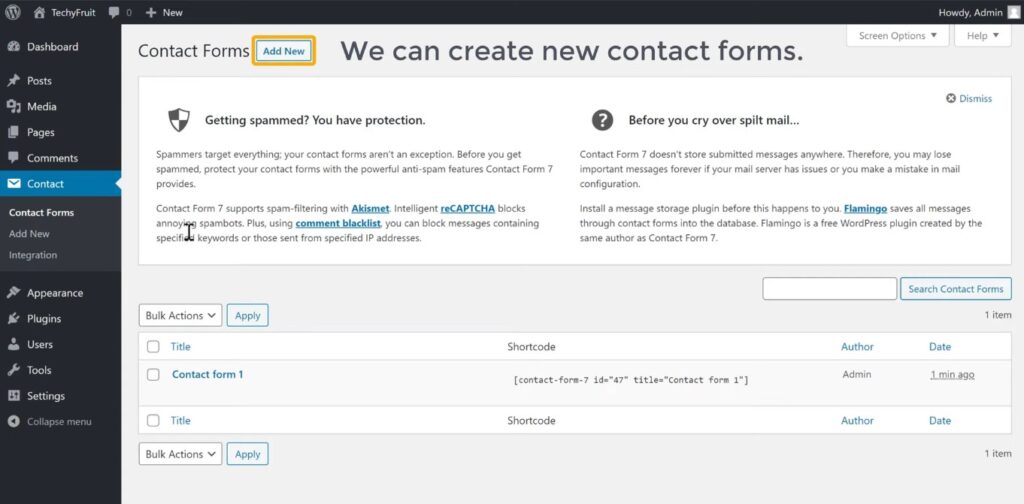
So now if we click here, we can now access the plugins features. and we can create new contact forms.

Now the other place where new plugins can appear, is on this sidebar. So here you can see that once we installed the plugin, We got a new item call, ‘Contact’. Now if we go here you can access all the features of the plugin.
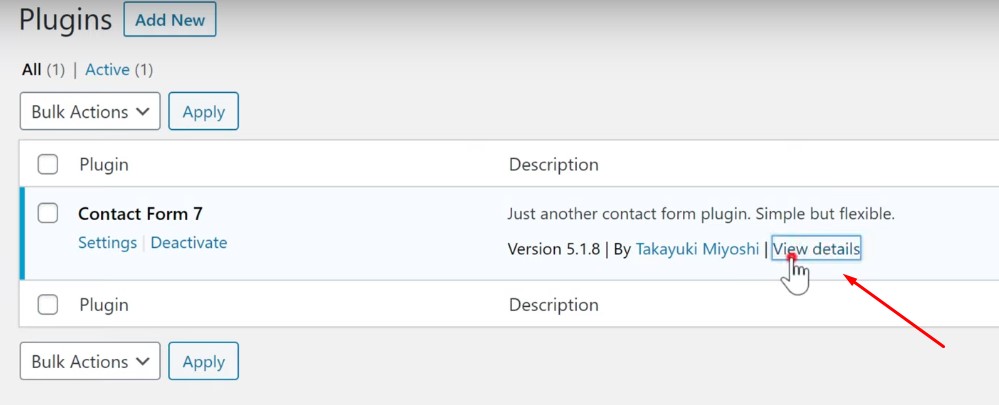
Now if you are not able to figure out how to access the plugin, just click “View Details”.
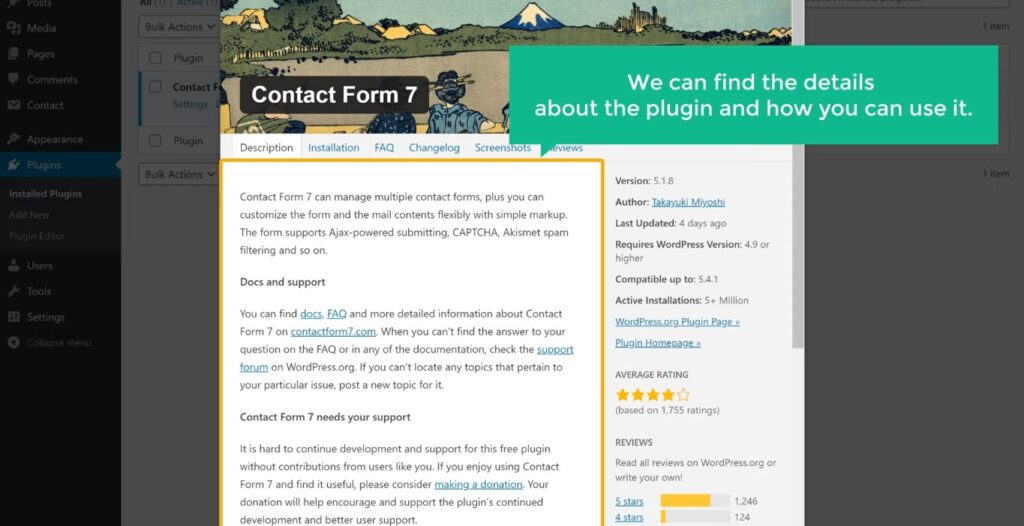
And here we can find the details about the install plugin in WordPress and how you can use it. Now every plugin in WordPress has different features and will work differently.

For example, if you install a page builder plugin like elementor, And if you go to the add new page section.
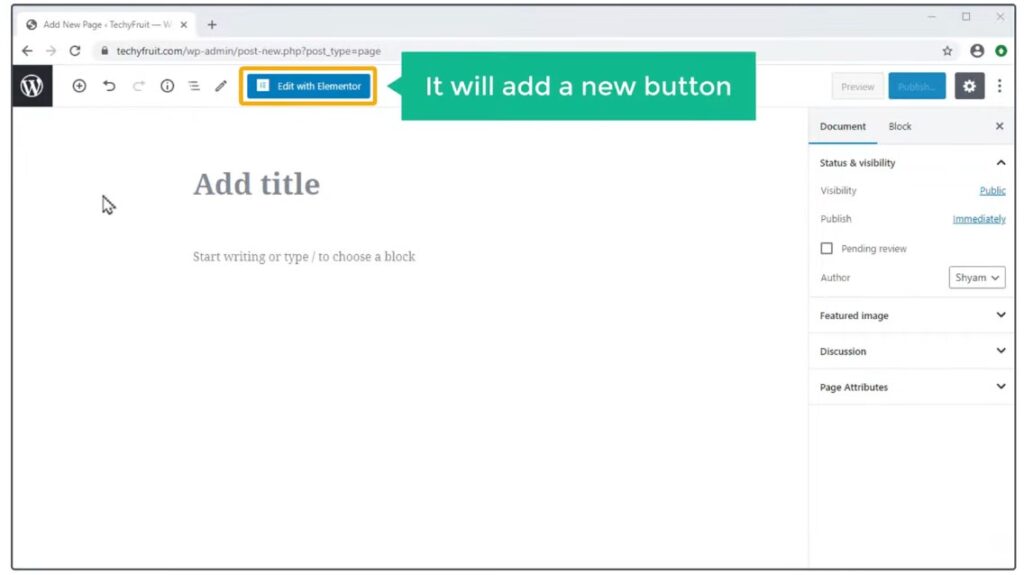
It will add a New button like this, Which you can use to build the page, using the plugin. So each plugin will work slightly different based on what it’s design to do. So this is how plugins work in WordPress. And now you know, how you can install a plugin using search.
Uploading the plugin .zip file
Next, let’s look at the 2nd method of installing a plugin in WordPress. Which is by uploading the plugin .zip file. Now sometimes you might receive a plugin in a .zip format. For example, when you buy a premium plugin, You’re likely to get the plugin as a .zip file. Now in order to Install this plugin, on your WordPress site, You need to upload this file, to WordPress.
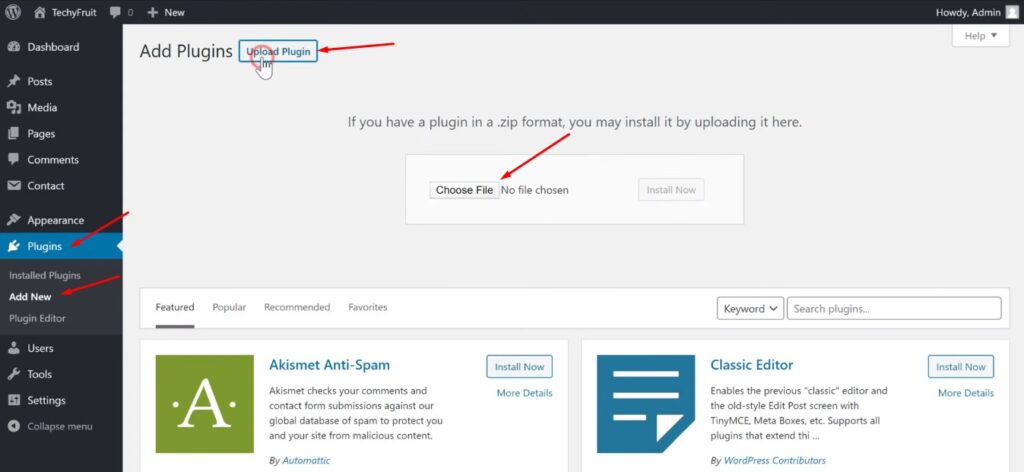
So to upload this plugin, let’s go to our WordPress dashboard and then go to plugins and click “Add New” Now instead of using the search box, let’s click ‘Upload plugin’. And now here you need to select your plugin.

So I’m going to click Choose File and then select the plugin .zip file. and the plugin is install.

You need to click activate and as you can see, the plugin is now active.

And here you can see that a new item called wpforms has been add to our menu. So this is how you can install a plugin by uploading it’s zip file.
So now you know, how you can install and use plugin in WordPress. Now as WordPress has thousands of free and premium plugins available you can do a lot of things with your website. If you want to learn more about WordPress, visit our blog page.
