














I’ll go over 7 mistakes beginner WordPress users make in hopes to save you from making them yourself.
1 Installing WordPress in a subdirectory
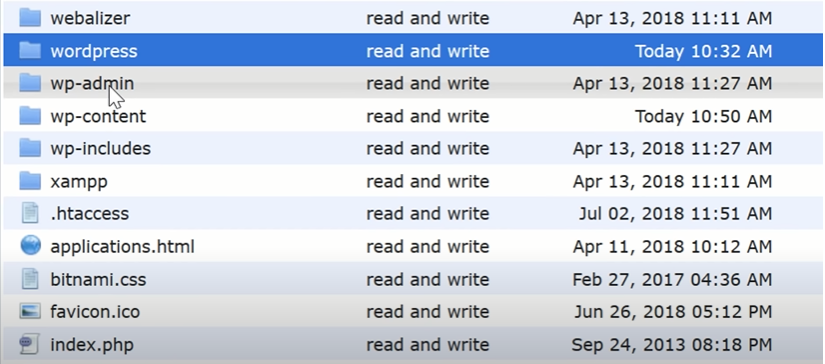
Installing WordPress in a subdirectory called WordPress.
The WordPress zip file places all core files in a folder entitled WordPress, beginners tend to make the mistake of simply uploading this folder rather than uploading the files and folders.
Contained within it, when you upload the parent folder, your website gets directed to website comm slash WordPress rather than just website com.
WordPress does allow you to install in any directory you want, but it’s easier to just install
WordPress in the default location, which is usually the root of your domain under public HTML or in a subdirectory.
2 Not using Permalinks out-of-the-box

The default permalink structure for WordPress is slashed question mark P equals one two three.
Many beginners do not change this default permalink structure to a more user-friendly option, using post name keeps the link short and allows you to insert keywords into the URL.
News blogs that publish dozens of articles per day tend to use the day and post name to avoid any problems with duplicates to change permalinks through the WordPress admin area, of your .htaccess file has to be writable,
Which is the default for most people, if yours is not however WordPress recommends you change the file permissions in your HT Access file to 644.
3 Publishing incomplete pages nothing screams out
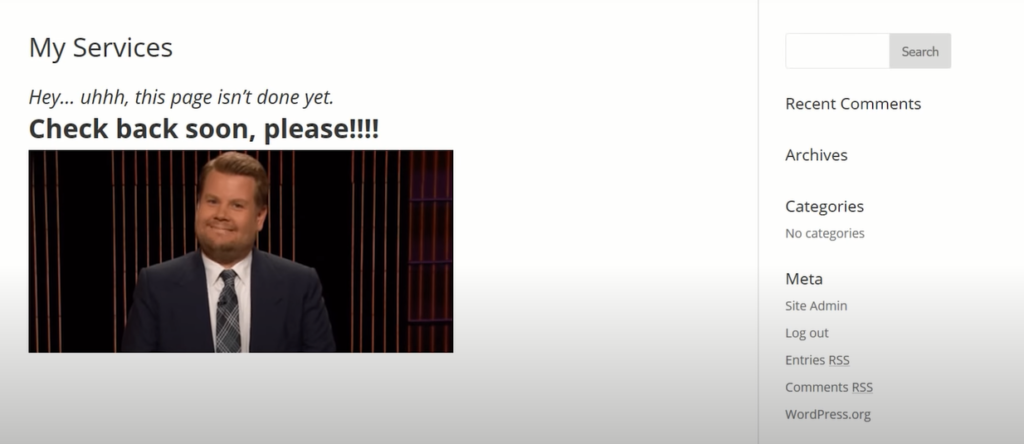
A website that has incomplete pages beginners frequently launch their website before it’s ready.
So when a visitor comes and clicks on a navigation link instead of seeing your new shiny site, they just see a coming soon page as a rule.
You should never link to any page that is not complete, doing so will alienate visitors and give them.
The impression that you’re not taking your website seriously there may be an occasional reason to do this, like a landing page for a new project where you collect emails.
My advice is to wait until your website is complete before you launch it, and while building your website.
You can use a maintenance mode plug-in to keep interested parties informed of your launch date.
4 Unnecessary Plugins
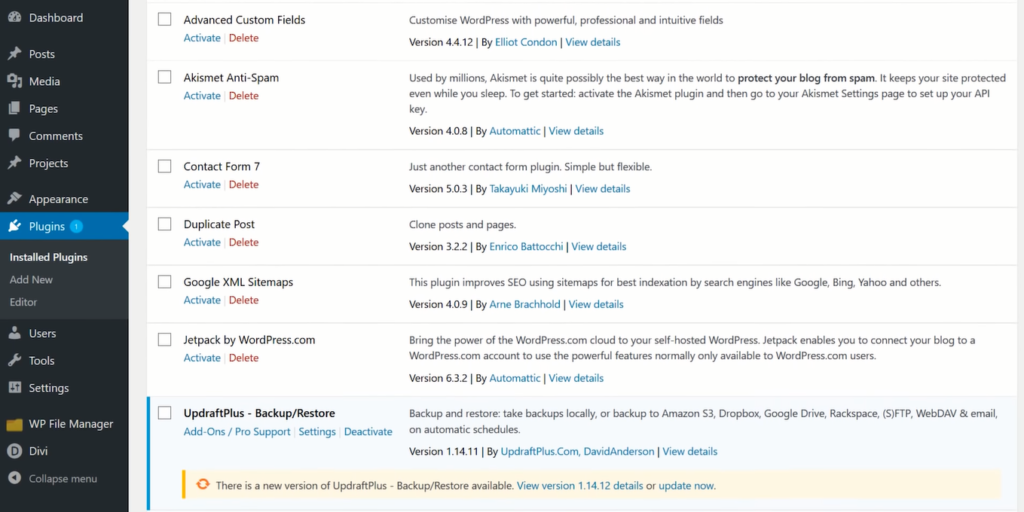
That are not being used should be deactivated and uninstalled if you do not plan on using them again.
You should also, just for the sake of your site speed, keep the number of plugins to a minimum.
Beginner WordPress users do not adhere to this mindset.
They install plugins and do not deactivate them. It’s not uncommon for a new WordPress user to install dozens of plugins, even if they’re only using a few.
All this does is make your website slower and introduce more possible headaches.
5 Not keeping WordPress up to date

It’s important to keep WordPress and any themes and plugins you are using up-to-date.
Keeping your site full of out-of-date plugins significantly increases your chance of a crash, or maybe it won’t crash, you’ll just get hacked or infected with malware.
Depending on your situation, you could even enable automatic updates or configure them so that you don’t keep terribly old plugins on your site.
6 Not using a strong password
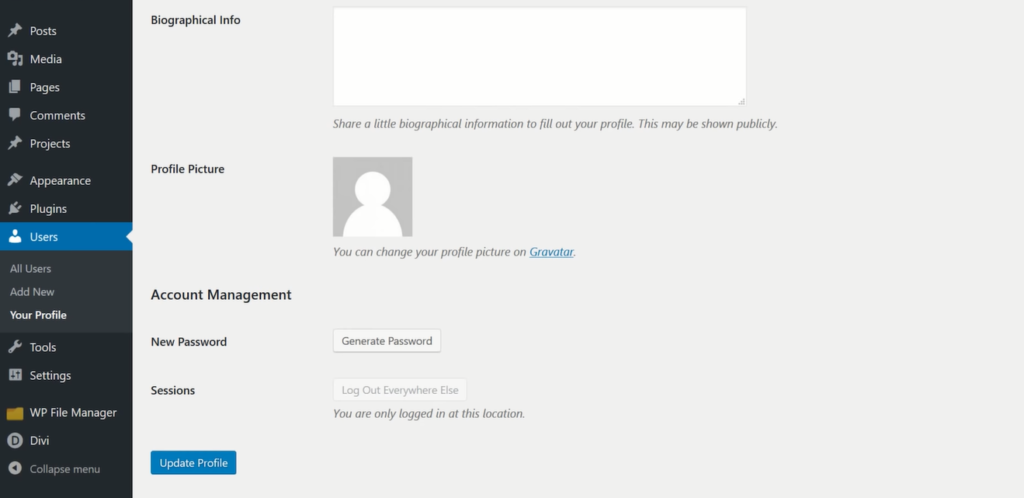
Strong passwords protect you from brute-force attacks and other bad things people do to your site. Luckily, WordPress gives you a built-in way to generate a strong password.
Just go to the user profile you want to change, scroll to the bottom and click generate password update the profile, and you’re good to go, just make sure you write that new password down.
7 Not backing up often
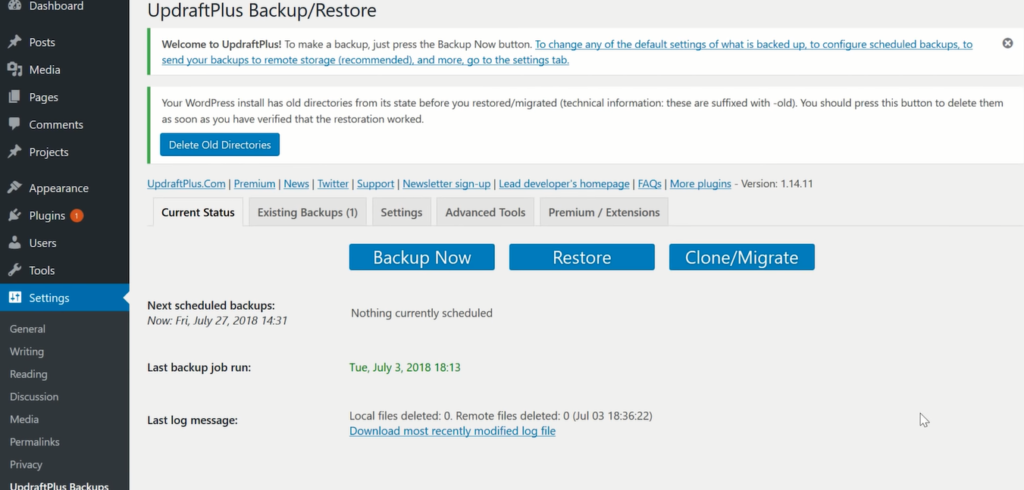
New WordPress users, and pretty much all website owners for that matter.
Fill or recognize the importance of backing their website up often don’t be that guy that ignores backups and all of a sudden their website’s hacked, and they lose all their data, and they’re not sure what to do
It’s a shame that most people need to experience data loss in order to learn the importance of backing up, especially since backing up is so easy to do.
So if you’ve done any of these in the past, that’s ok, there’s a reason they’re listed as common mistakes.
I’ve made them countless other folks will too and at the end of the day all you can do.
